
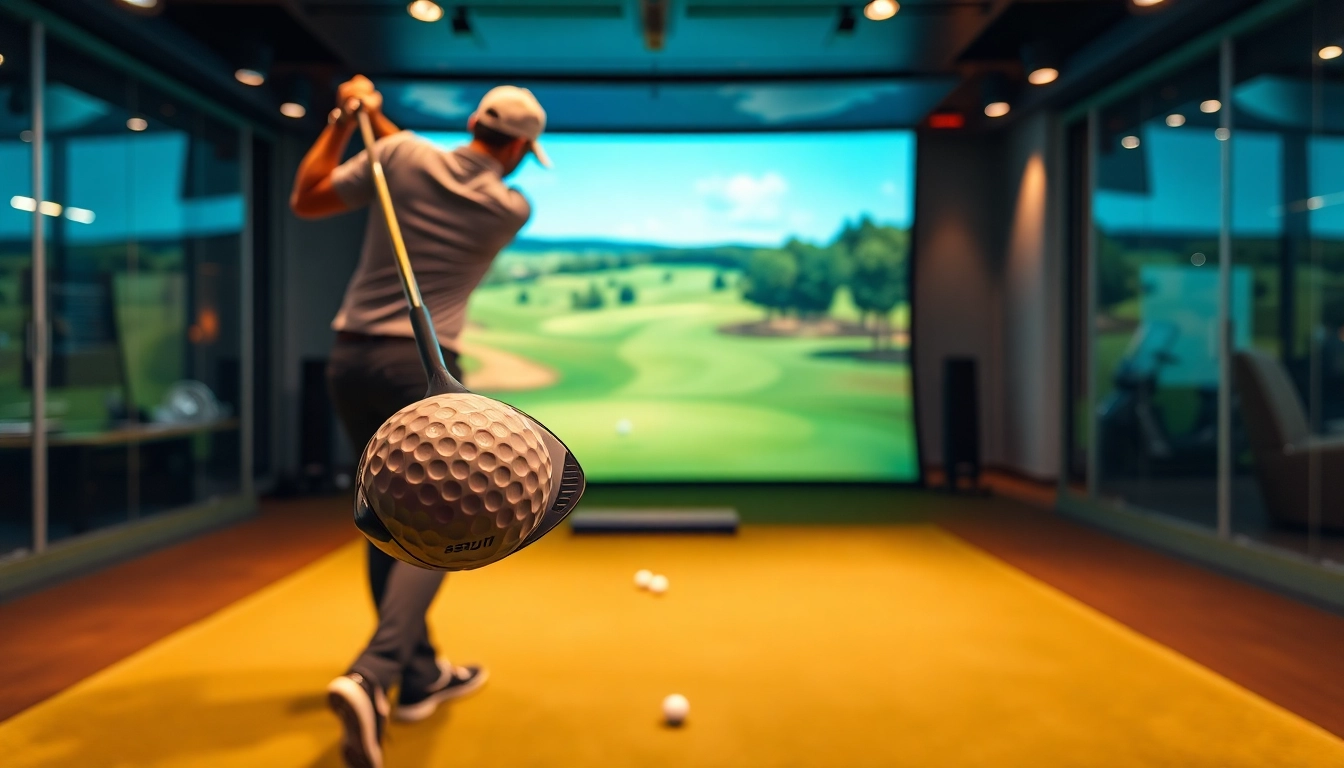
Understanding the Benefits of a Simulator
Golfing enthusiasts are always looking for ways to improve their game, and one of the most effective tools at their disposal is a simulator. These advanced systems provide players with opportunities to enhance their skills, regardless of weather conditions or time constraints. Let’s explore the myriad of benefits that a simulator offers, making it an essential part of the modern golfer's toolkit.
Improving Swing Mechanics
One of the most significant advantages of using a golf simulator is its ability to provide detailed analysis of your swing mechanics. By utilizing high-tech sensors and cameras, simulators can capture every aspect of your swing motion—from the angle of your club to your body positioning. This feedback is invaluable, as it allows players to identify flaws in their technique quickly. Regular practice on a simulator can lead to noticeable improvements in a golfer’s swing over time, making it a powerful training tool.
Real-Time Data Analysis
Simulators offer an array of real-time data analytics that can help players understand their performance better. From metrics like club speed and ball spin rate to trajectory and distance, comprehensive data outputs allow for informed adjustments. With actionable insights provided immediately, players can refine their course strategies and shot selection, ensuring that each practice session is focused and productive.
Year-Round Practice Opportunities
Weather can often be a barrier to consistent practice, but with a simulator, players can train anytime—no matter what the outside conditions are. This year-round availability means that golfers can maintain their skills during the off-season or rainy days, giving them the opportunity to practice and improve without interruptions. This continuous engagement is crucial for skill retention, ultimately leading to enhanced performance on the course.
Types of Golf Simulators Available
When it comes to selecting a golf simulator, it's essential to understand the different types available and how they can meet your specific needs. Each type offers distinct features, benefits, and costs that can influence a golfer's choice.
Optical Sensors Vs. Radar Technology
Golf simulators generally utilize either optical sensors or radar technology to capture data. Optical sensors use cameras to track the ball and analyze swing dynamics. This technology is great for measuring spin rates and ball flight. In contrast, radar systems measure the speed and angle of the ball as it travels, providing accurate data regarding distance and trajectory. Understanding the differences between these technologies will help players choose a system that best suits their practice goals.
Portable vs. Permanent Installations
Simulators come in two main forms: portable and permanent installations. Portable simulators are convenient for players who may want to set up their equipment in different locations or have limited space. These versions tend to be more affordable and easier to transport. Alternatively, permanent installations offer more advanced features and can be integrated into home theaters or garage spaces, appealing to serious golfers looking for an immersive experience.
Choosing the Right Model for Your Needs
Selecting the right simulator involves consideration of several factors, including budget, space, and intended use. Entry-level models may suffice for casual players, while avid golfers might lean toward more advanced systems featuring professional-grade data analysis. It's critical for buyers to assess their requirements carefully and invest in a simulator that complements their skill level and practice ambitions.
Setting Up Your Simulator at Home
Creating a dedicated space for a golf simulator at home can dramatically enhance your practice and training regime. Understanding the setup requirements and optimizing the environment is essential for seamless operation.
Space Requirements and Design Considerations
Before acquiring a simulator, it's important to evaluate the space available for installation. A standard home golf simulator requires room dimensions that can accommodate swings and necessary electronics comfortably. Players should consider ceiling height, width, and depth to ensure an enjoyable experience. Additionally, thoughtful design can enhance the aesthetic appeal of your practice area, potentially integrating seating or decor to create a welcoming environment.
Equipment Essentials for Optimal Performance
Your home simulator setup will require several key pieces of equipment to function effectively. These include a quality hitting mat, impact screen, projector, and the simulator system itself. Ensure that each component is compatible for seamless operation. Investment in high-quality equipment will contribute to an optimal training experience and smoother data capture, allowing for better performance analysis.
Budgeting for Your Simulator Setup
Depending on the components selected and the complexity of the setup, budgeting appropriately is crucial. Entry-level simulators may start affordably, but as features and technology improve, so does the price. Allocate your budget in a way that covers the essential elements for your simulation experience, factoring in ongoing costs such as software updates, maintenance, and possible upgrades.
Practical Tips for Maximizing Simulator Use
To gain the most from your simulator experience, consider implementing several practical tips that can enhance your practice sessions and ultimately improve your game.
Regular Measurement of Performance
Tracking performance on a consistent basis allows for better analysis and improvement over time. Use the data provided by your simulator to measure key benchmarks regularly, such as distance covered and accuracy on target. Maintain a log to compare past sessions and monitor your progress towards specific goals.
Incorporating Varied Practice Drills
Variety is key in practice; committing to a single drill can often lead to stagnation. Incorporate different types of drills such as putting, chipping, and full swing exercises to ensure well-rounded skill development. By diversifying your practice regimen, you can keep engagement high while addressing all aspects of your game.
Utilizing Online Resources and Communities
The golf community is rich with resources designed to enhance learning and skill development. Joining online forums or engaging with instructional content can provide new insights and techniques that can benefit your simulator practice. Connecting with other golf enthusiasts can also lead to a greater sense of motivation and accountability.
Common Challenges and Solutions
While simulators provide numerous advantages, users often encounter challenges that can impact their overall experience. Understanding these hurdles and how to overcome them is essential for a productive practice environment.
Troubleshooting Performance Issues
Performance glitches are not uncommon with golf simulators. Issues may arise with data capture due to lighting conditions, software bugs, or hardware malfunctions. It’s critical to familiarize yourself with troubleshooting techniques outlined in the user manual or online support resources. Regular maintenance checks can also help prevent issues from becoming disruptive to your practice.
Staying Motivated and Engaged
Motivation can wane, especially during lengthy practice sessions. To combat fatigue, set specific goals or challenges for each session. Incorporating friendly competitions with friends or family can also introduce a fun, competitive aspect to your practice, keeping your engagement levels high and fostering improvement.
Understanding User Interface and Features
Each simulator comes with different user interfaces and features, and it can be challenging to maximize its capabilities without proper understanding. Take the time to explore and familiarize yourself with the simulator's software and features. Many systems offer tutorial modes or guides to help users navigate and utilize their tools effectively.
Frequently Asked Questions
1. What factors should I consider when purchasing a golf simulator?
Evaluate your space requirements, budget, technology type (optical vs. radar), and the features most relevant to your practice goals.
2. Can I use a golf simulator for any type of practice?
Yes! Simulators can accommodate various types of practice, including putting, driving, and all variations of golf swings.
3. How much space is needed for a home golf simulator?
Typically, you will need a minimum space of 10 feet in length and 10 feet in height, but larger areas enhance the experience.
4. Is it necessary to have advanced equipment for effective practice?
While advanced equipment can enhance your experience, many entry-level simulators still provide valuable features for improvement.
5. How do I keep myself motivated while practicing indoors?
Set specific challenges, track your progress, and include competitive elements or drills to maintain a high level of engagement.
Contact Information
Call Us: +1 615-624-7821Email: [email protected]Address: 1276 Northwest Broad Street, Murfreesboro, TN 37129, USA